


Cut costs
and
grow sales
Switch your POS to

among restaurants
that switched to poscube
Satisfaction figure from a poscube customer survey of restaurants that switched to poscube.

Restaurants stay with poscube because we have answered the
same everyday problems across roughly
3,400 restaurants
Switching and setup

A dedicated team works alongside you from installation through daily operation, so the switch does not disrupt service.

Running costs

We start from the functions your restaurant actually uses, which keeps the monthly running cost down.

When something breaks

Remote support responds on the spot, so a technical problem does not stop service during a busy shift.

Service quality

We adapt the setup to your service style and atmosphere, rather than asking your floor to work around the system.

Running on a small team

Simple operation and automation cut training time and manual work, so a smaller team can still run the floor.

 Solution
What poscube does
Solution
What poscube does
poscube is more than a cash register. It covers the day-to-day work of running a restaurant, from customer data and repeat-visit campaigns to floor operations and payments.
-

Customer acquisition
LINE-based repeat-visit campaigns and customer data, without needing a marketing specialist.
-

Floor operations
Ordering, table management and the day-to-day running of the floor.
-

Payments
A range of payment methods handled at the table or the register.
-

Management & reporting
Sales, cost and staffing figures pulled together for the people running the business.
-

Support
Specialist staff from installation through daily operation, including remote recovery.
Multilingual
When your guests or your staff do not read Japanese
The POS operation screen your staff use can be switched to English, and guests order from menus that are translated automatically. Both are standard, not paid add-ons. That matters in three places: the floor, guests ordering for themselves, and the kitchen.
| Where | What poscube does |
|---|---|
| The floor POS screen |
The POS operation screen itself can be set to English — not just the guest-facing app. Staff who do not read Japanese can take orders and close bills without working around kanji they cannot read. The staff screen is available in Japanese and English only. |
| Guests ordering | Hand the table a QR code. Guests open the menu on their own phone and order in their own language, with menus translated automatically — so guest menus are not limited to the two staff-screen languages. Allergy and religious dietary information can be shown on the menu itself, before the order is placed, rather than relying on a server to explain it. |
| The kitchen display & printer |
Both the kitchen display and the kitchen printer support English, so kitchen staff who do not read Japanese can read the order either way — on screen, or on the ticket that prints in the kitchen. |
“We used to hand foreign guests an English menu whenever nobody on shift spoke the language, and it still led to miscommunication and wrong orders. Now we just hand over a QR code and guests order from the multilingual menu on their own phone. We no longer have to keep someone who speaks a foreign language on every shift.”
Mr./Ms. Hata, owner — Kokogura, a charcoal-grill and sake izakaya (51–80 seats). Read the interviewin Japanese
“Half of our floor staff are not Japanese, but because poscube is intuitive they almost never get stuck on how to operate it. They picked it up remarkably quickly.”
Mr./Ms. Yamamoto, director and store manager — Shabujo, a shabu-shabu restaurant in Shinjuku (50–80 seats). Read the interviewin Japanese
Pickup

Guests order whenever they are ready, so you can run the floor with fewer servers without keeping anyone waiting.


Efficiency without cutting into hospitality, for restaurants where the quality of service is the differentiator.

Connects to LINE, Japan's most used messaging app, so any staff member can run targeted repeat-visit campaigns from the POS terminal.
Case study
Customer stories
Restaurants in Japan that switched to poscube, in their own words.


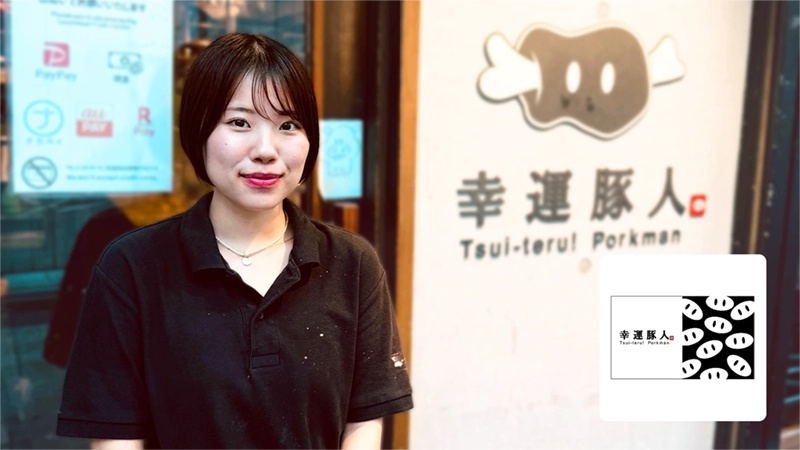


Showroom
Shinjuku, Tokyo
Try poscube hands-on at our showroom. Visits are welcome; please note that the visit is conducted in Japanese.page in Japanese

Brochure
Download
Download our product and case-study material free of charge. The material is written in Japanese.page in Japanese

FAQ
Questions
Answers to the questions we are asked most often about poscube.page in Japanese

Contact us
Before you get in touch, please read the following:
- poscube is available only to restaurants operating in Japan. We cannot supply the system to restaurants outside Japan.
- The enquiry form and our reply are in Japanese. Sales conversations, contracts, installation and ongoing support are all conducted in Japanese too. If you would like to proceed, please have someone on your team who can communicate in Japanese take part.
- The brochures and this website are the parts that are Japanese. The POS screen itself can be set to English, and guest menus are translated automatically — see Multilingual above.
Go to the enquiry formin Japanese
The form itself is in Japanese. A Japanese-speaking colleague can fill it in on your behalf.
Or call us: 03-5357-7870
Weekdays 09:00-18:00 JST. Calls are answered in Japanese.